---
title: "AI features"
description: "Set up AI providers, features, the AI use policy and budget, and see who read tutor conversations."
image: "https://docs.quirelms.com/og.png"
---
> Documentation Index
> Fetch the complete documentation index at: https://docs.quirelms.com/llms.txt
> Use this file to discover all available pages before exploring further.
# AI features
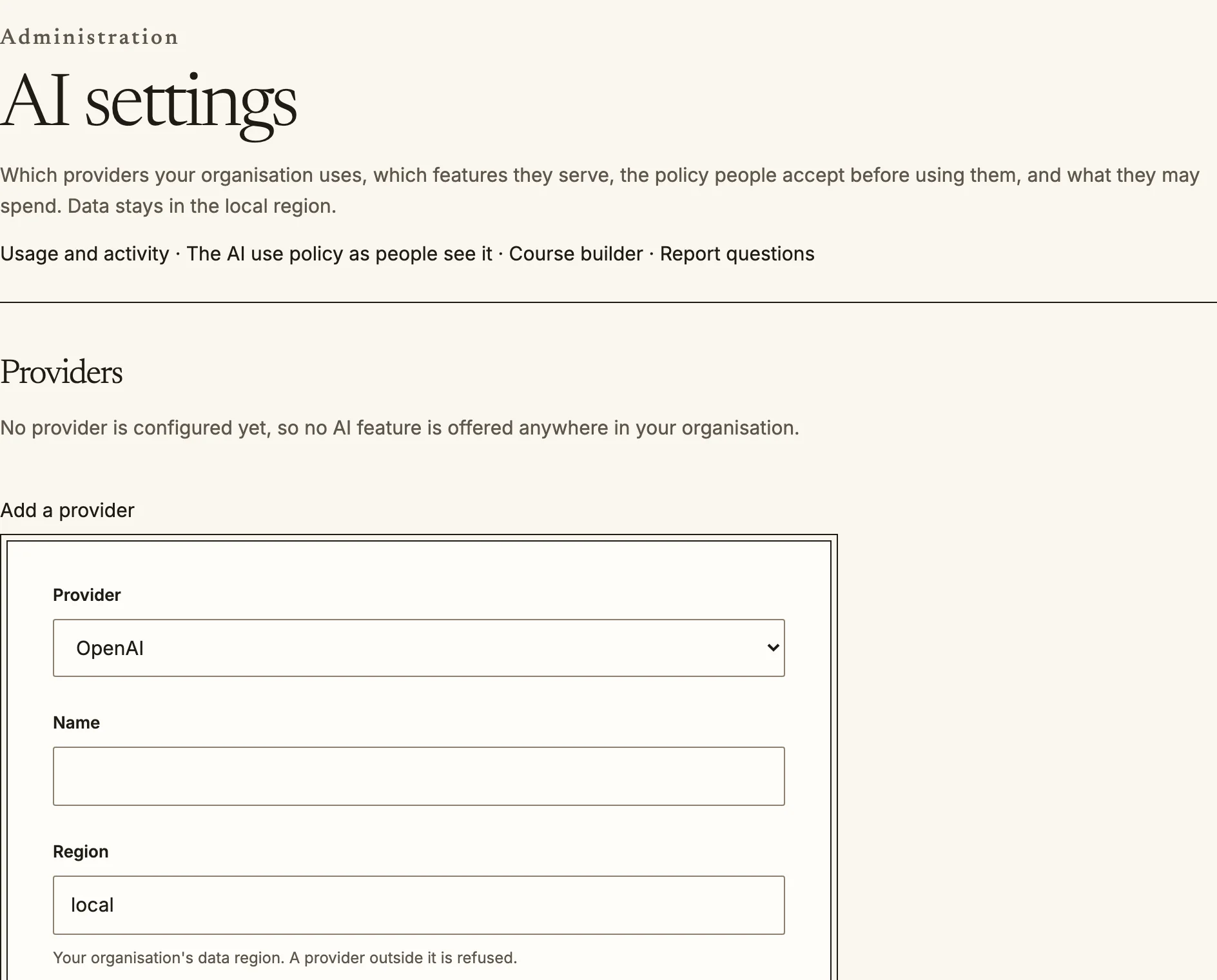
`/admin/ai` decides whether and how AI is used in your organisation. Nothing runs
until you have done three things: added a provider, switched on the features you
want, and published the AI use policy that people accept before their first
request. An installation with no provider shows no AI feature anywhere.
## Providers
**Add a provider** by choosing the service (OpenAI, Azure OpenAI, Anthropic,
Gemini, Bedrock, DeepSeek, Ollama or an OpenAI-compatible endpoint), its region,
its models and its credential. Quire checks each model with the provider before it
saves. The credential is sealed when saved and only its last four characters are
shown afterwards.
- **Region**: a provider outside your organisation's data region is refused.
- **Training guarantee**: each provider is labelled as local (nothing leaves your
network), contractual (covered by an agreement, which you reference), configured
(the provider's opt-out is set on every request) or unverified. An unverified
endpoint cannot serve a feature that sends personal data, and saving one needs you
to acknowledge that.
- A built-in demonstration model is offered for trying the features without an
account. It is not a model, and its answers say so.
AI settings start with a provider. No feature is offered until one is added.
## Features
Each feature can be switched on or off for the whole organisation, with its own
model and longest answer. A course or activity may switch a feature off, and can
never switch on one you have switched off here. The page shows, for each feature,
the human checkpoint that applies and the data it may send. The features are:
- In the editor: draft text, rewrite, translate, summarise, image generation and
accessibility fixes. An author accepts or rejects each suggestion.
- **AI tutor** and **Course assistant**, for learners, grounded in course material
they can already open, with citations.
- **Course builder**, which drafts a hidden course from uploaded documents. The
outline is confirmed first and every activity is reviewed before publication.
- Drafting of quiz questions (kept as drafts until a teacher publishes them),
lesson pages and rubrics.
- **Grading suggestions**, which a teacher always confirms: a suggestion is never
written as a grade.
- **At-risk explanations**, which put a computed score into words and change
nothing by themselves.
- **Meaning-based retrieval**, which lets the tutor and assistant find passages by
meaning as well as by words. It needs a provider that produces embeddings.
- **Report questions**, which turn a question into a report definition that you
review before it runs.
A feature a provider cannot run says why on the page, naming what the provider
lacks. Everything AI writes carries a visible **Draft written by AI** label, and
an AI use disclosure appears on every AI surface.
## The AI use policy
Publish the policy text here. Everyone must accept the current version before their
next AI request, and publishing a new version asks them all again. With no policy
published, no AI feature runs.
## Budget, limits and prices
Set a **monthly budget**, an optional hard cap, what happens when the budget runs
out (stop every feature; stop authoring features but keep the tutor and assistant
to the hard cap; or carry on to the hard cap), and the percentages at which
administrators are warned. Limits cover calls per minute and at once, for the
organisation and per person, tutor messages per hour per learner, and background
jobs per course. Budget admission reserves each call's worst case at the model's
price, so you can set your own input and output prices per million tokens, and
image prices by size. Image generation is unavailable until a matching price is
set. On the hosted service the same spend appears as the AI usage add-on in
[plan and billing](/admin/plans/).
**Keep tutor transcripts for** sets how long conversations are kept, from 30 days to
three years. They are deleted, not archived, when that passes.
## Usage and activity
`/admin/ai/usage` shows spend by month, calls, tokens and cost by feature, and, for
people allowed to see personal usage, by person. It also lists every time someone
read a learner's tutor conversation.
## Who can read a tutor conversation
A teacher can open a course's tutor transcripts at `/courses//transcripts`.
Opening one is recorded, and the learner sees that a member of staff read it, who,
and when, both beside the conversation and in a log at `/my/ai-privacy` (**AI tutor
access log**, also linked from the learner's privacy page). A learner can delete a
conversation after the course ends. While it runs, teachers rely on it being
complete.
Source: https://docs.quirelms.com/admin/ai/index.mdx