---
title: "Administrator guide"
description: "Set up a Quire organisation: people, roles, sign-in, branding, languages, email and records."
image: "https://docs.quirelms.com/og.png"
---
> Documentation Index
> Fetch the complete documentation index at: https://docs.quirelms.com/llms.txt
> Use this file to discover all available pages before exploring further.
# Administrator guide
Before you begin, sign in to your organisation and check that your role can manage the settings you need. The pages and actions available to you depend on your assigned permissions.
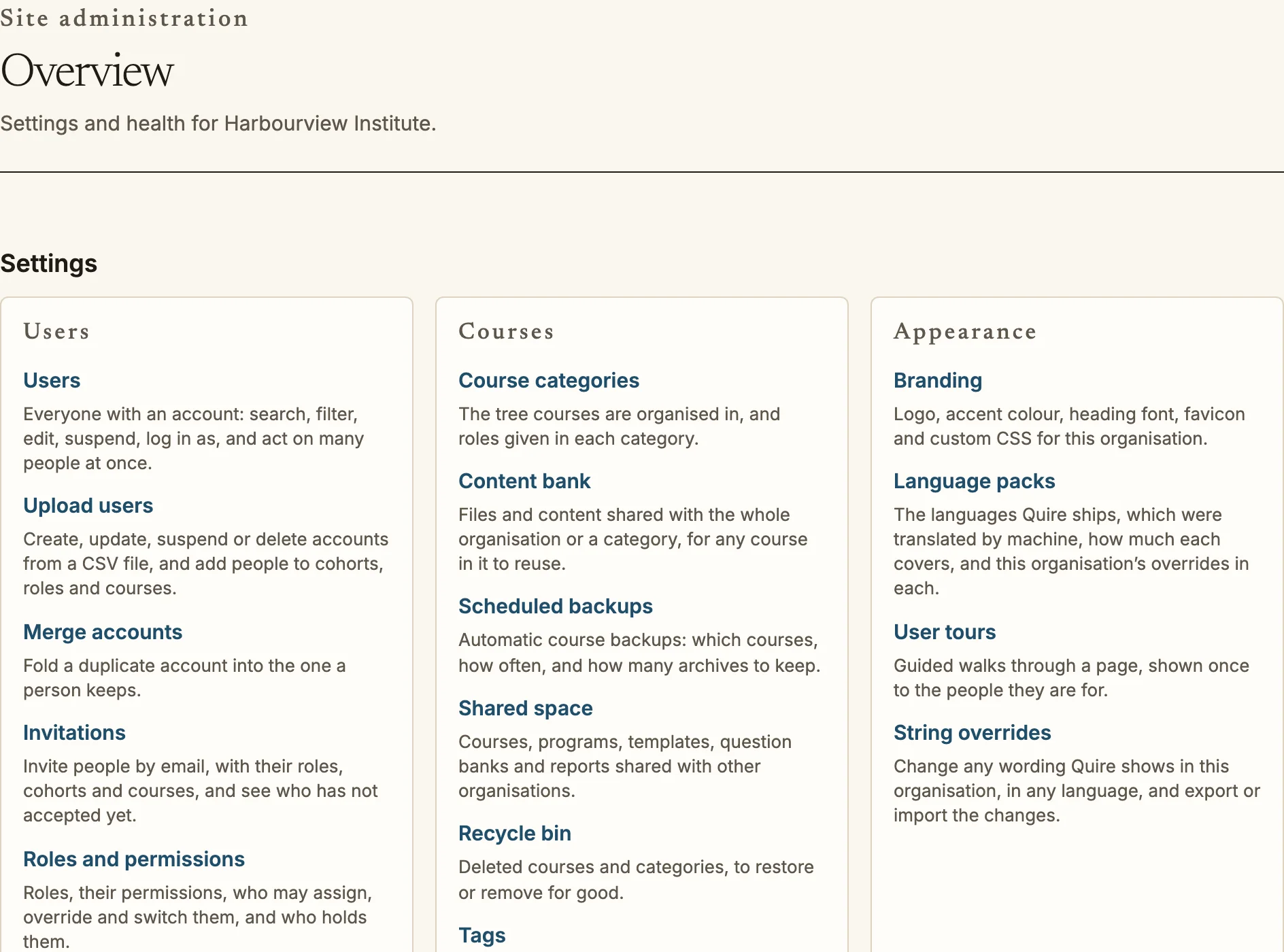
Site administration at /admin groups every setting and links to it.
You run an organisation in Quire: its people, how they sign in, what they see
and what is kept. Every page here is under `/admin`, and every change you make
there is written to the audit log with your name and the time.
## First steps
1. Sign in with the administrator account created when the organisation was
set up, and change its password at `/account/security`. Turn on two-step
verification there as well.
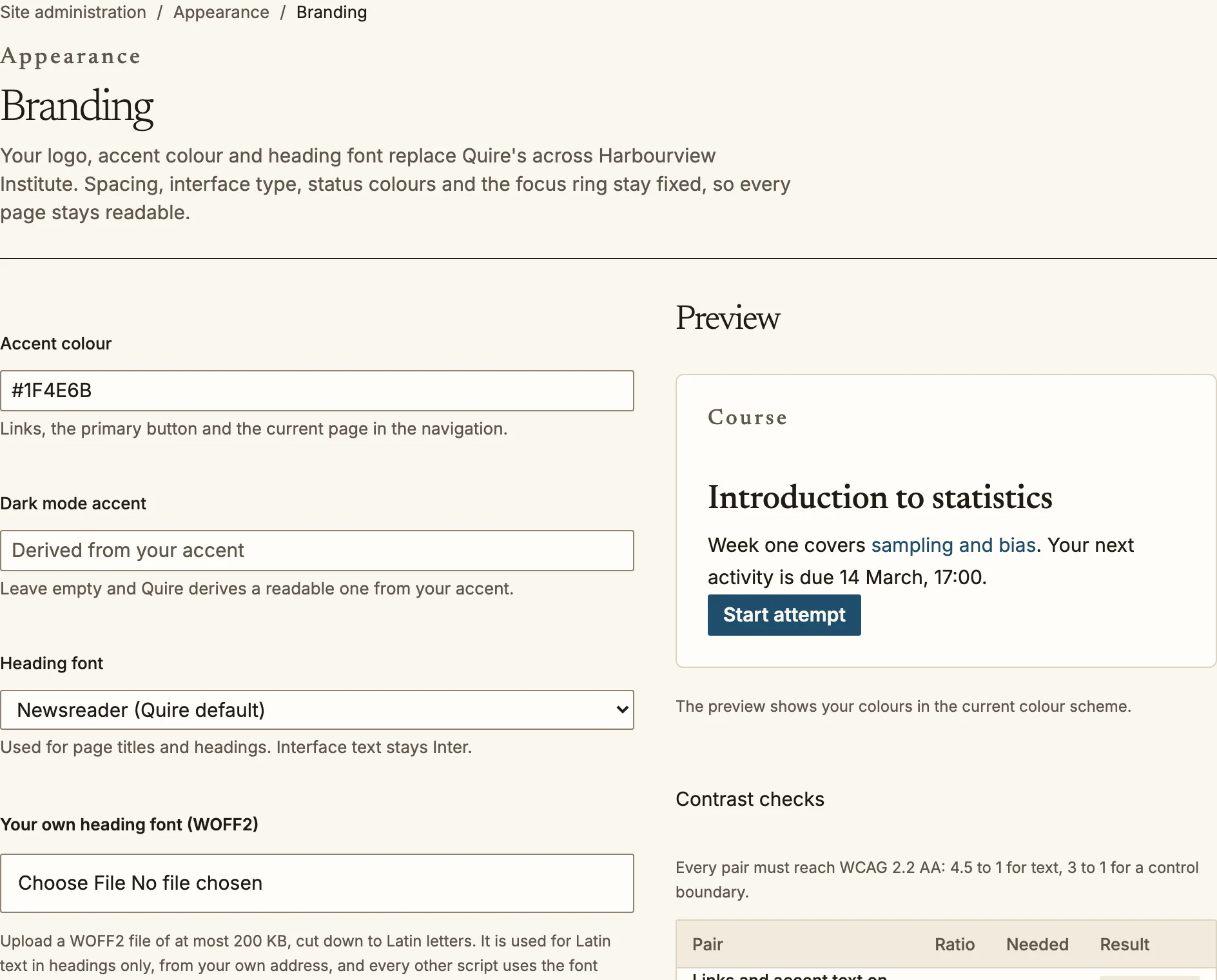
2. Set the organisation's logo, accent colour, heading font and favicon at
`/admin/appearance/branding`, and its name, addresses, default language and
switches at `/admin/settings` (see [organisation settings](/admin/organisation/)).
Quire checks the accent against the page background and adjusts it if text on
it would be hard to read. You can upload your own WOFF2 heading font of up to
200 KB, cut down to Latin letters; it applies to headings only.
3. Decide how people sign in at `/admin/security/auth` (below).
4. Add people at `/admin/users`: one at a time, or from a spreadsheet at
`/admin/users/upload`.
5. Create the first course category at `/admin/categories`, then a course.
Branding previews your colours and checks their contrast before you save.
## People and roles
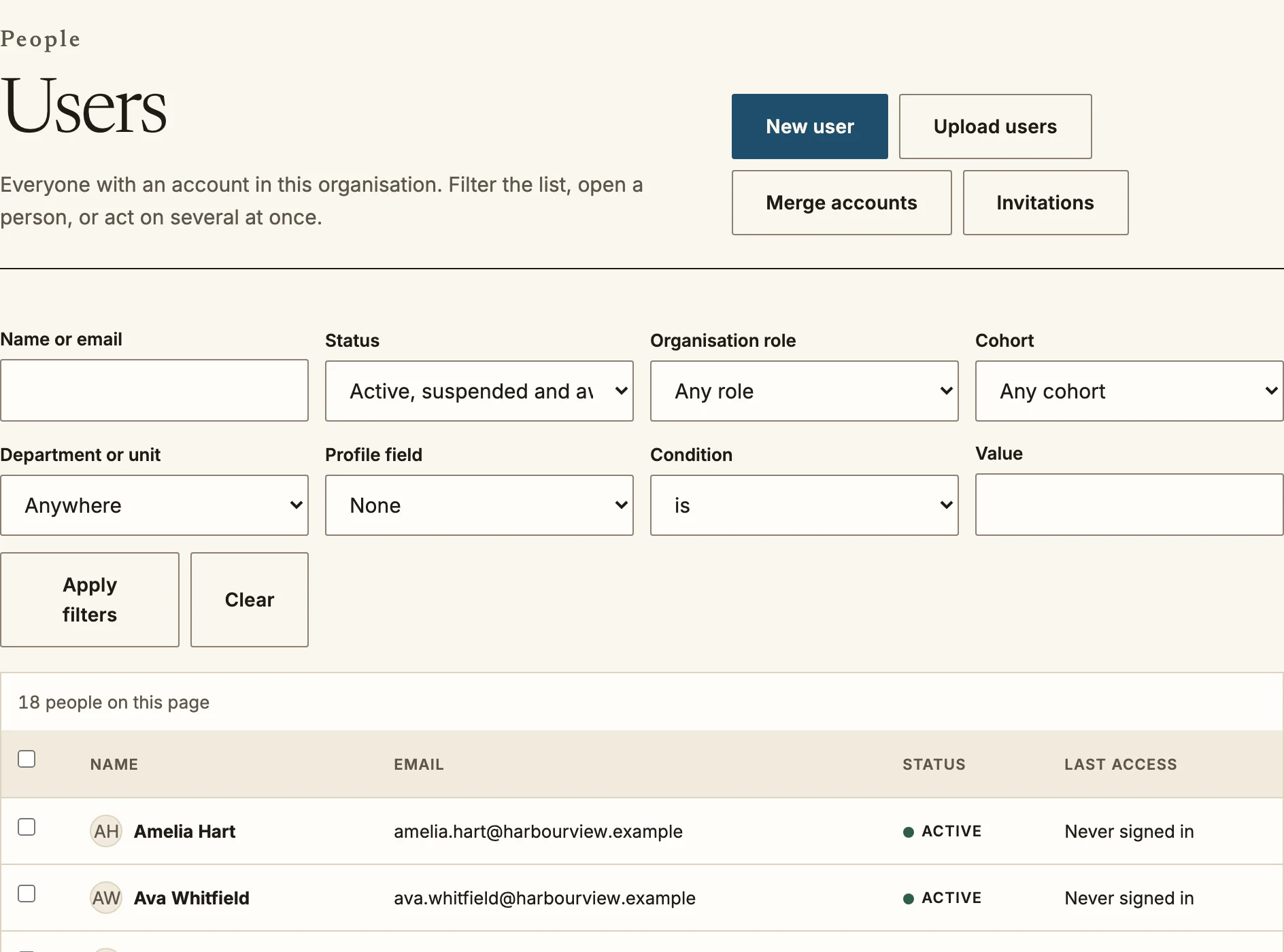
- **Users** (`/admin/users`): search, filter by status, suspend and
reinstate. Suspending ends every session at once; the person's work and
grades are kept.
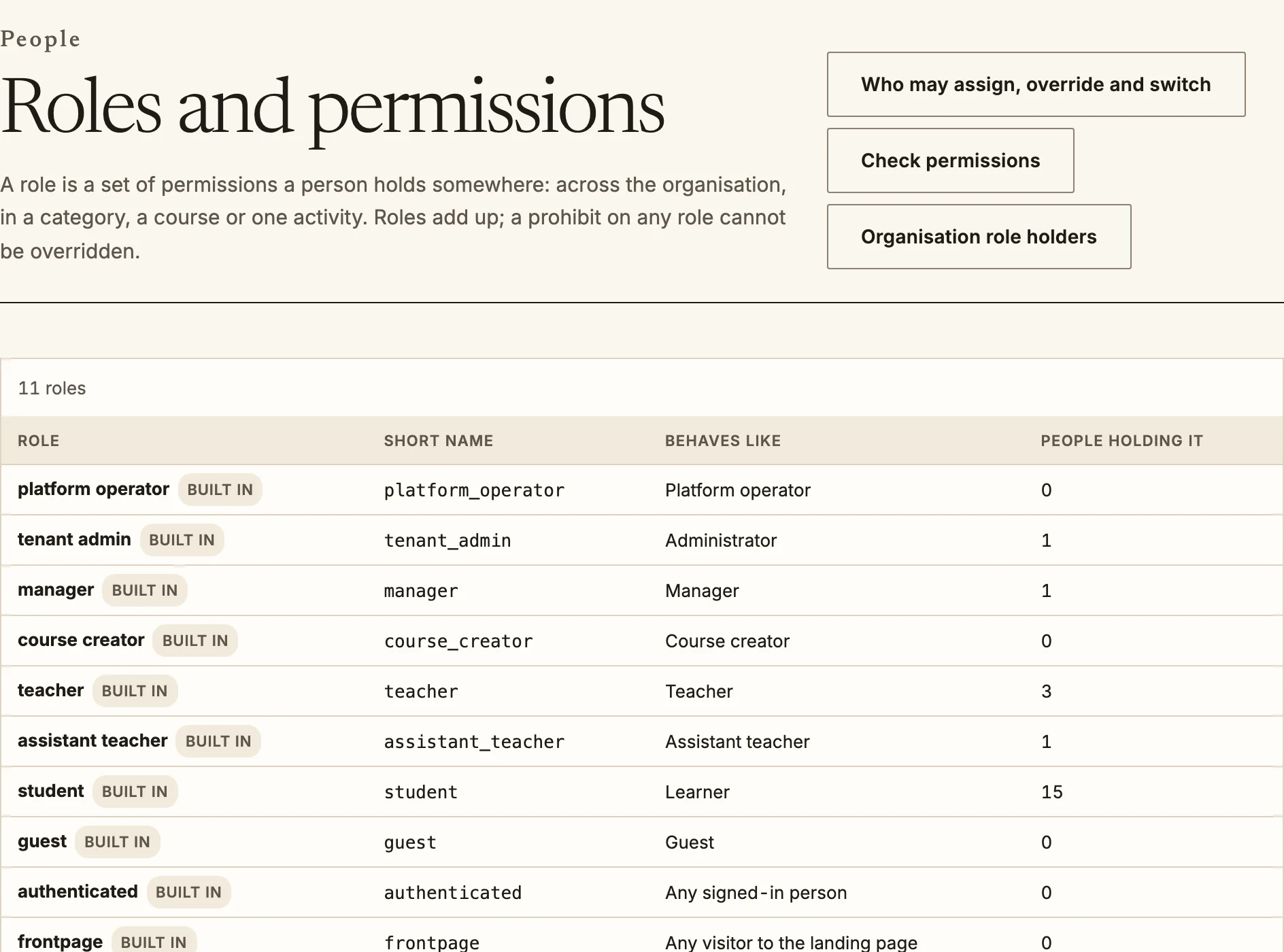
- **Roles** (`/admin/roles`): a role is a set of capabilities. Start from the
built-in roles (organisation administrator, manager, course creator,
teacher, assistant teacher, learner and guest) and copy one to change it, so
the original stays as a reference. Every signed-in person also holds the
built-in role for any signed-in person, which carries what everybody may do,
such as searching and managing their own learning plan. Each capability is not set, allow, prevent or prohibit; a
prohibit cannot be overridden by any other role.
Which roles count as learners in the gradebook is a separate setting, the
**graded roles** in [organisation settings](/admin/organisation/#graded-roles).
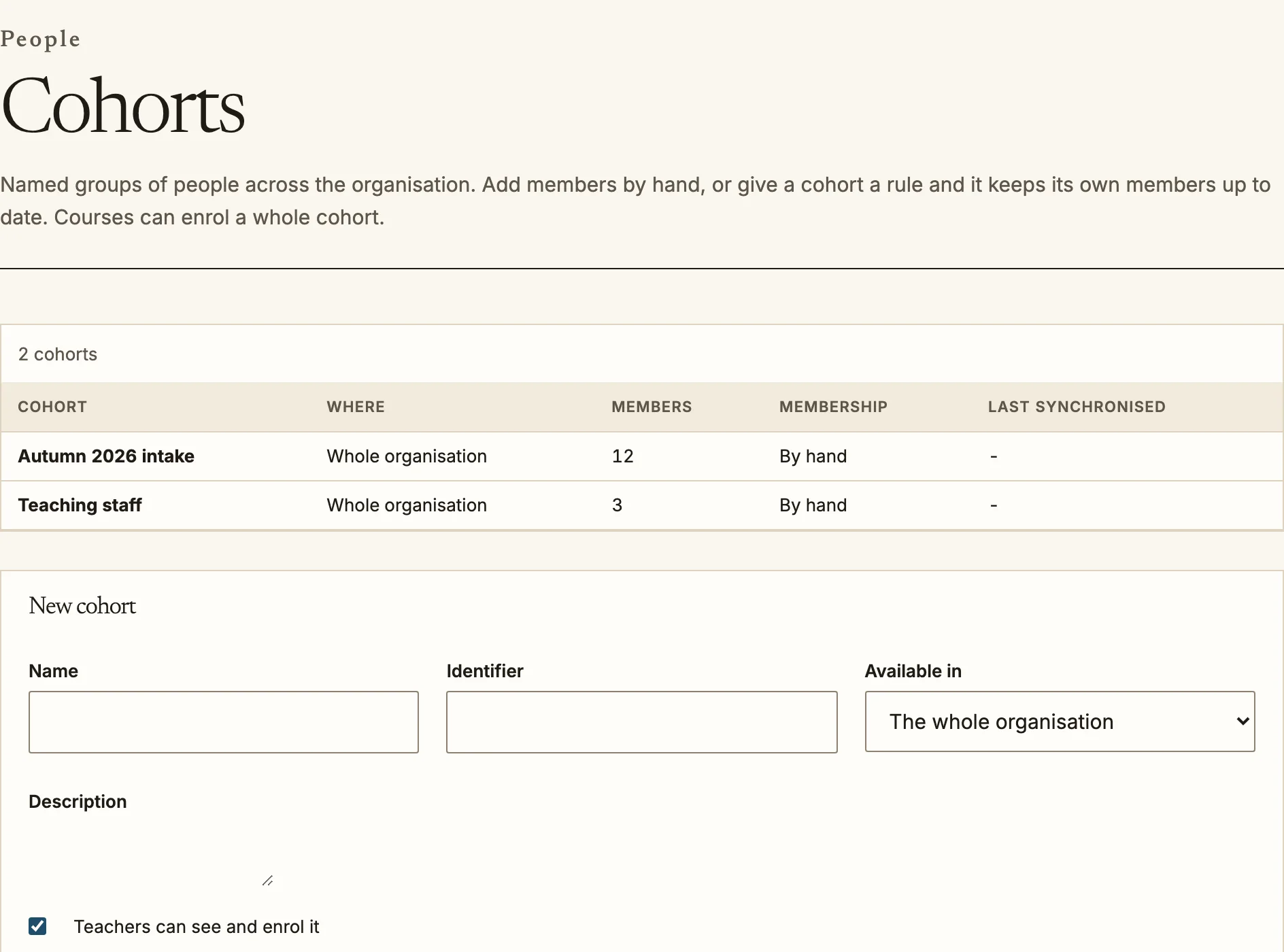
- **Cohorts** (`/admin/cohorts`): groups that cut across courses, such as a
department or an intake. A cohort can be kept up to date by a rule on
profile fields, and courses can enrol a cohort so its members come and go
automatically.
- **Organisation structure** (`/admin/org`): departments and positions, used
for managers, reports and approvals.
- **Profile fields** (`/admin/profile-fields`): extra fields on every user,
such as an employee number. A field is short or long text, formatted text, a
menu of choices, yes or no, a date, a number, a web address or a social profile.
It appears on the new user form and on cohorts, and in CSV uploads, where a cell
for a menu field is matched to the declared option whatever its case. Formatted
text is cleaned before it is stored.
Users: search, filter, suspend and reinstate.Roles: the built-in roles and how many people hold each.Cohorts group people across courses, by hand or by rule.
## Sign-in and security
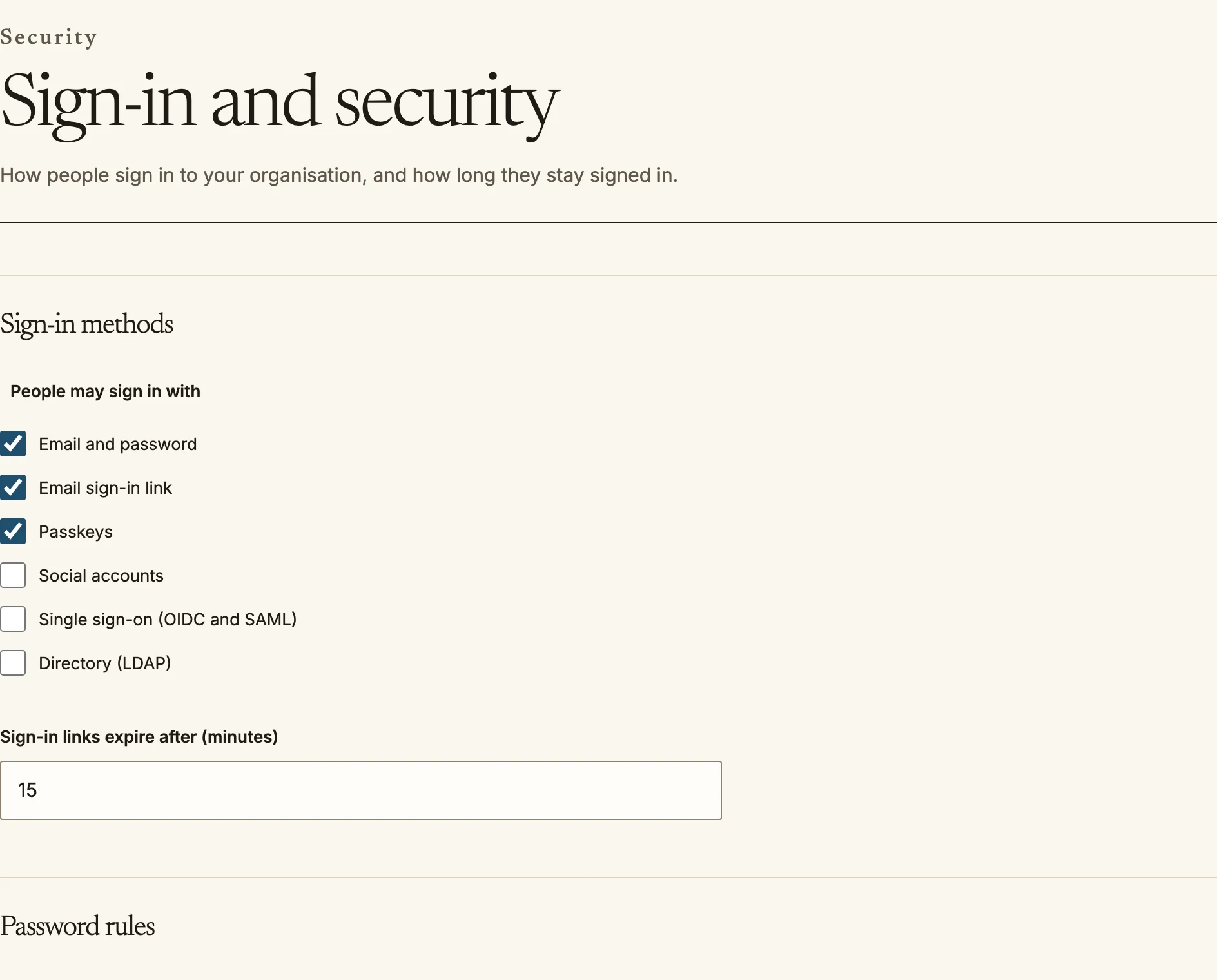
`/admin/security/auth` controls:
- **Sign-in methods**: email and password, an email sign-in link, passkeys,
social accounts, single sign-on (OpenID Connect and SAML) and an LDAP
directory. See the [single sign-on guide](/integrations/sso/) for
connecting your identity provider, and for SCIM provisioning.
- **Password rules** and **two-step verification**: an authenticator app, a
code by email, and backup codes. Two-step verification can be off,
optional, required for everyone, or required for the roles you choose.
- **Sessions**: how long a session lasts and how long it may sit idle.
- **Guests and self-registration**: whether people can create their own
accounts, and from which email domains.
Sign-in methods, password rules and two-step verification.
## Languages and wording
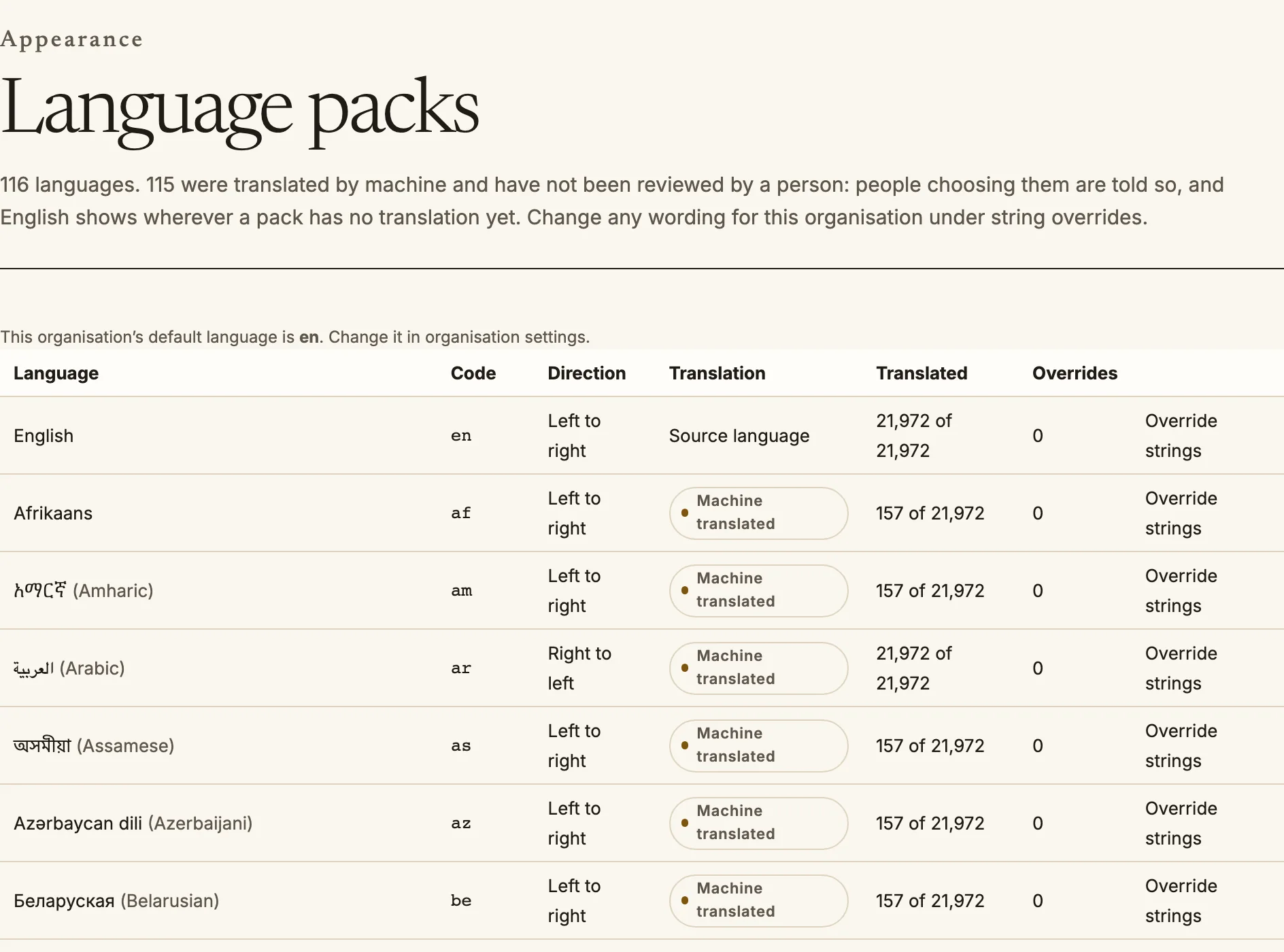
- **Language packs** (`/admin/languages`): which languages people can choose,
and the organisation's default. Each pack shows how much of Quire it
covers. Twenty languages (Arabic, Hebrew, Persian, Urdu, Spanish, French,
German, Brazilian Portuguese, Simplified Chinese, Japanese, Korean, Hindi,
Russian, Italian, Turkish, Dutch, Polish, Indonesian, Finnish and Swedish)
cover every message in Quire. The other packs cover the application shell and
show English wherever they have no translation. Packs marked **machine
translated** were produced automatically and have not been reviewed by a
translator; people see that label beside the language when they choose it. Arabic, Hebrew, Persian and Urdu display
right to left throughout.
- **Wording** (`/admin/strings`): change any piece of Quire's text for your
organisation, in any language. Search by the text you see or by its
identifier, write your version, and save. Your version replaces Quire's
everywhere it appears, within half a minute. **Revert** returns to Quire's
own text. **Export** downloads every override as a file, and **Import**
loads one, so you can move wording between organisations or keep it under
review. Placeholders in braces, such as `{count}`, must be kept; Quire
refuses an override that drops or invents one, and checks plural forms for
the language.
Language packs show how much of Quire each language covers.
## Email
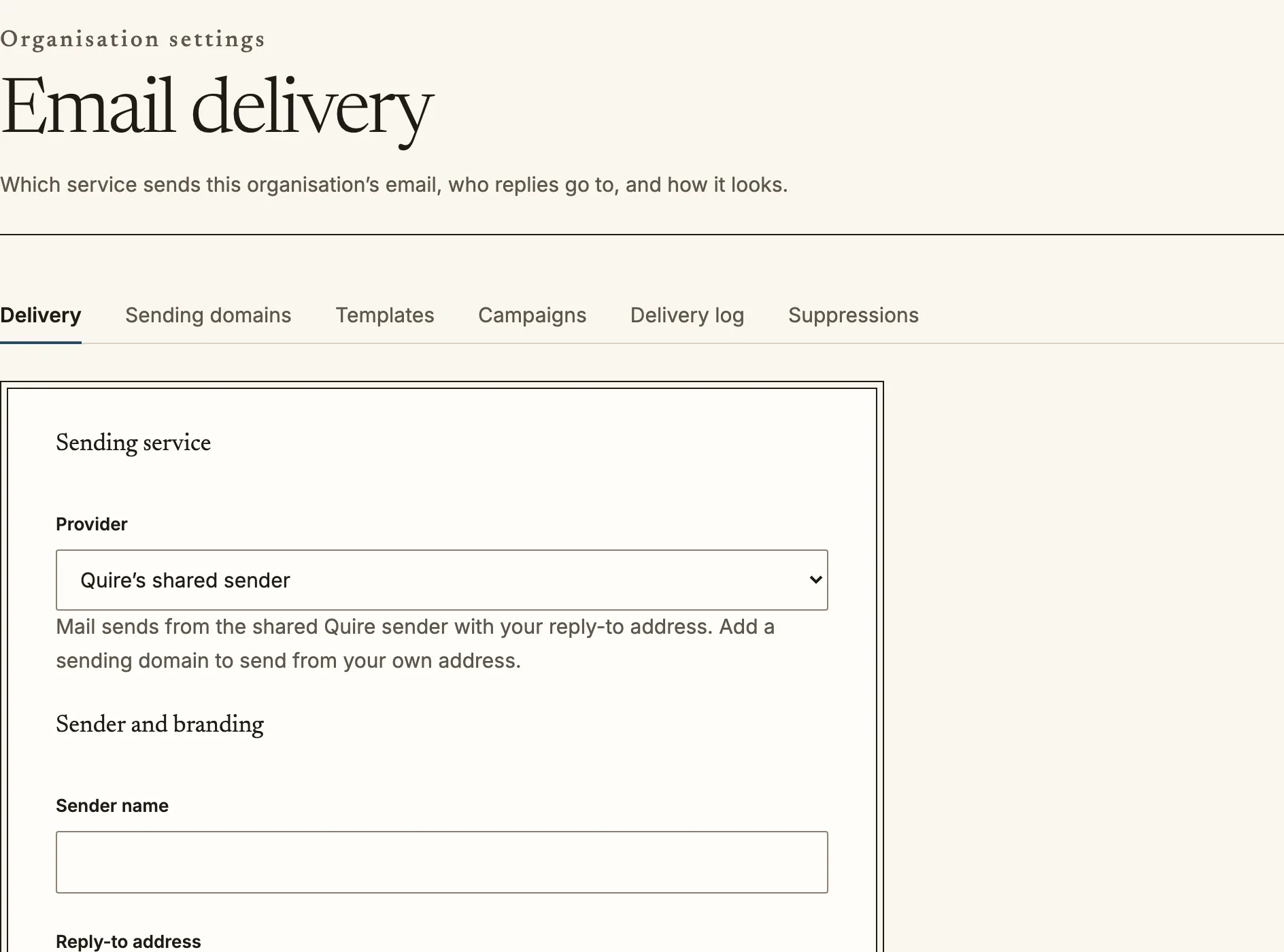
`/admin/email` sets the sending service, the sender name and reply address, your
own sending domain with its DNS records, tracking, and whether people can reply to
forum posts and messages by email. Templates, campaigns, suppressions and the
delivery log sit under it.
- **Templates** (`/admin/email/templates`): the message Quire sends for each
event, in any language. Change one for the whole organisation, a category, a
course or an activity. Anything you leave alone keeps Quire's default and keeps
getting its corrections. Each template can be previewed with sample data before
it is saved, and lists the variables it may use.
- **Every system message is a template**, including the ones that carry a
credential: the sign-in link, verification code, invitation, password reset,
welcome, sign-up received, approved and already-registered messages, guardian
consent and privacy request confirmation. They are edited in the same editor. These messages are essential, so they are sent at once rather
than queued, and if one cannot be sent the person is told straight away.
- **Delivery log** (`/admin/email/log`): every email the organisation sent, newest
first, with what happened to it (queued, sent, delivered, bounced and so on).
The log never stores a link or code that a message carried.
Email delivery: the sending service, and tabs for the rest.
## Integrations
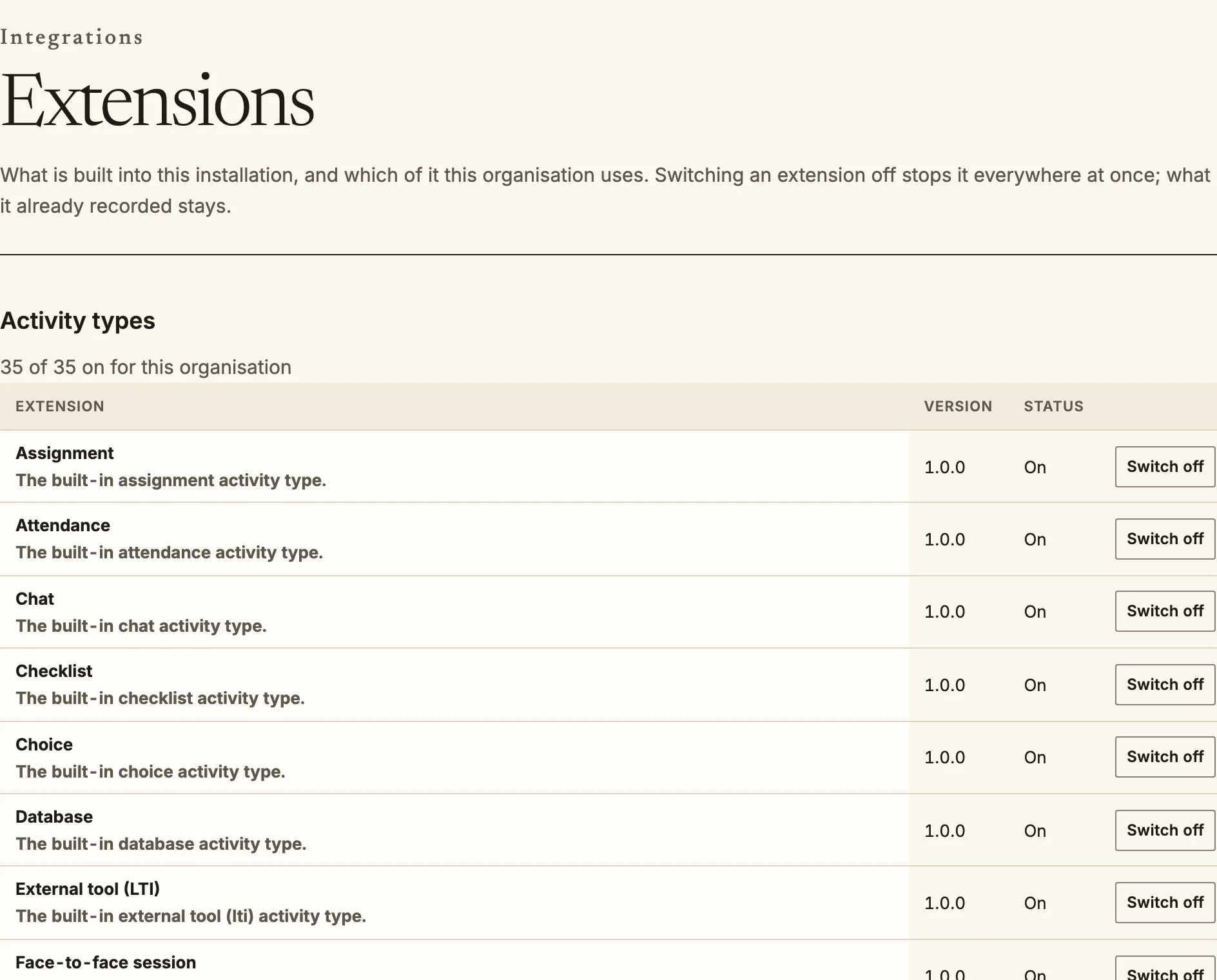
- **Extensions** (`/admin/extensions`): switch built-in activity types, sign-in
methods, reports and other parts on or off for your organisation. See
[extensions](/admin/extensions/).
- **Live sessions and video** (`/admin/integrations/meetings`,
`/admin/integrations/video`): use your own BigBlueButton, Zoom, Teams, Google
Meet or Jitsi account, and your own Cloudflare Stream, Mux or Bunny Stream
account. See [live session and video providers](/admin/providers/).
- **HubSpot** (`/admin/integrations/hubspot`): see the [HubSpot guide](/integrations/hubspot/).
- **API keys** (`/admin/integrations/api-keys`): keys for scripts and
integrations. A key is shown once, when it is created; Quire keeps only a
hash. Give each integration its own key with only the scopes it needs, so
you can revoke one without breaking the others.
- **OAuth clients** (`/admin/integrations/oauth-clients`): for applications
that act on behalf of a signed-in person, such as Zapier or Make.
- **MCP** (`/admin/integrations/mcp`): which AI assistants may connect to
Quire's MCP server, and which tools they may use.
- **Webhooks** (`/admin/webhooks`): send events to another system as they
happen. Each subscription has a delivery log, and a failed delivery can be
sent again. After 20 failures in a row, or 72 hours of failures, Quire
pauses the subscription and emails you and the subscription's contacts.
Extensions can be switched on or off for the organisation.
## Sharing, content and AI
- **Shared space** (`/admin/sharing`): offer courses and other items to other
organisations, which run a shared course as a copy they own. See
[sharing between organisations](/admin/sharing/).
- **Content bank** (`/admin/content-bank`): files and content shared with the whole
organisation or a category. See the [content bank guide](/teacher/content-bank/).
- **AI settings** (`/admin/ai`): providers, features, the AI use policy and budget.
See [AI features](/admin/ai/).
- **Policies** (`/admin/compliance/policies`): the policies people accept, and the
acceptable use policy that is enforced where content is written. See
[policies and acceptable use](/admin/policies/).
- **Plan and billing** (`/admin/billing`): what your plan includes and what you have
used. See [plan and billing](/admin/plans/).
## Records and reports
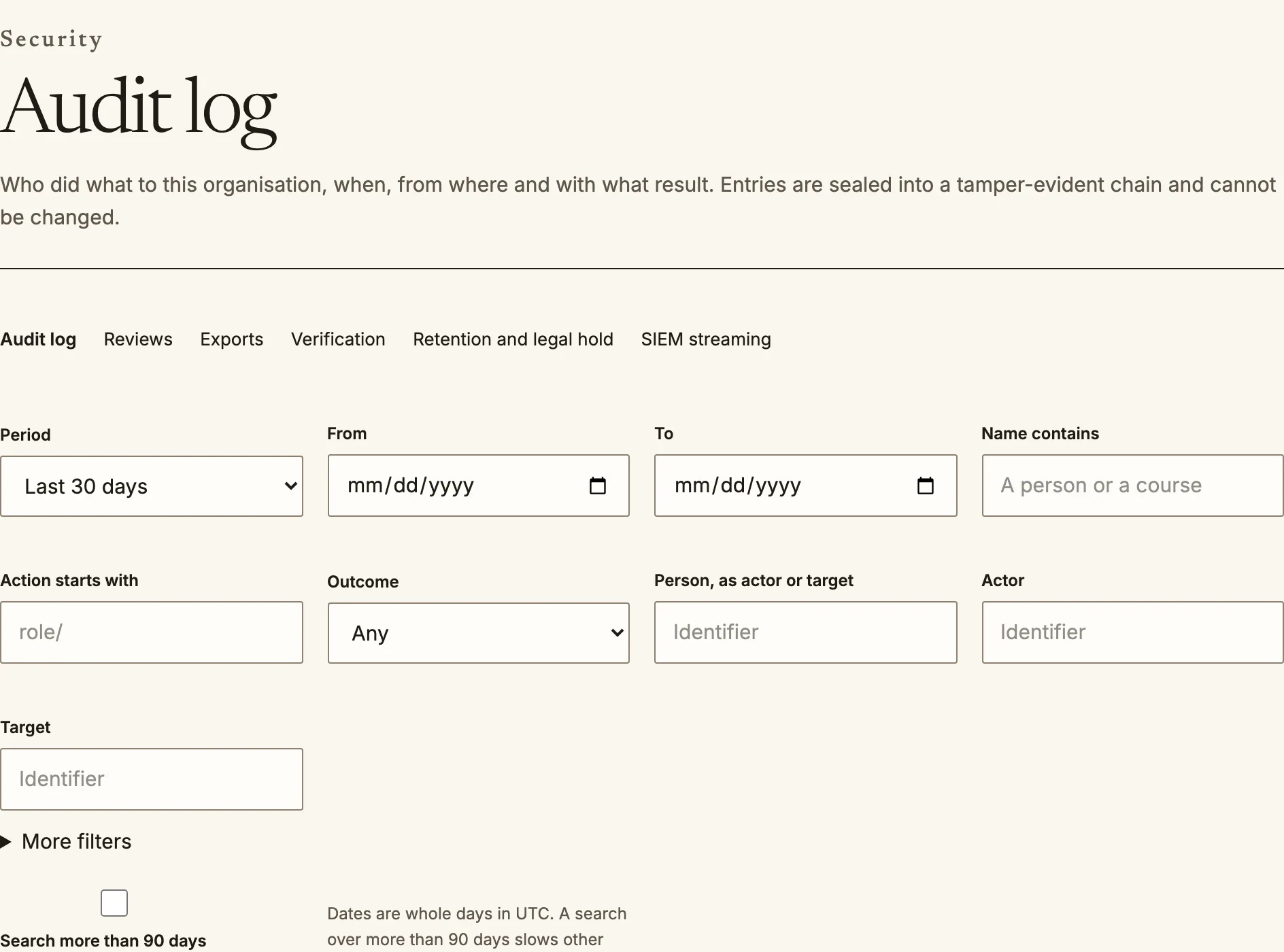
- **Audit log** (`/admin/audit`): who did what, and when. Entries are
chained, so an entry cannot be changed or removed without the chain showing
it. Export for your security team or SIEM from the same page.
- **Reports** (`/admin/reports`): completion, grades, engagement and custom
reports. Reports read from a separate read-only connection, so a large
report never slows the site for learners. Exports that contain learners'
records are logged as disclosures.
The audit log records who did what, when and with what result.
## Accessibility
Quire is built to WCAG 2.2 AA. Every person can also adjust it for
themselves at `/account/preferences`: text size, a dyslexia-friendly font,
reduced motion and high contrast. Nothing you configure can turn these off.
Source: https://docs.quirelms.com/admin/index.mdx