---
title: "Plan and billing"
description: "What each plan includes, usage against the plan, changing plan and metered add-ons."
image: "https://docs.quirelms.com/og.png"
---
> Documentation Index
> Fetch the complete documentation index at: https://docs.quirelms.com/llms.txt
> Use this file to discover all available pages before exploring further.
# Plan and billing
`/admin/billing` shows the plan your organisation is on, what it has used
against the plan, and how to change or pay for it. If the platform assigned your
plan, the page says there is nothing to pay.
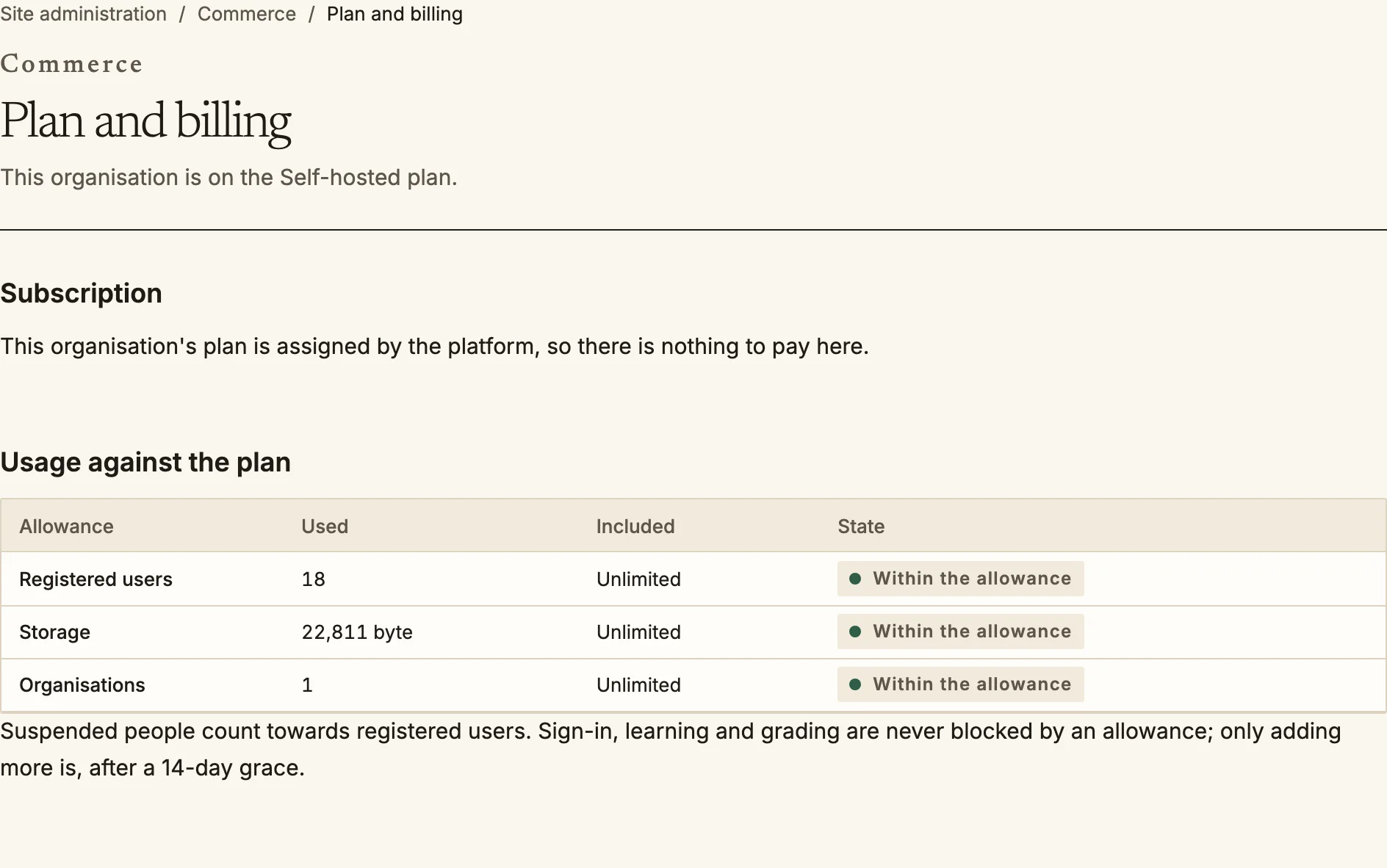
## Usage against the plan
A plan has an allowance for **registered users**, **storage** and
**organisations**. Suspended people count towards registered users. Sign-in,
learning and grading are never blocked by an allowance. What is blocked, after a
14-day grace once the allowance is full, is adding more: new people, uploads or
organisations. Administrators are warned as usage nears the allowance.
Plan and billing: usage against the plan.
## What each plan includes
Most features come with every plan. A few start at a higher one:
| Feature | Starter | Team | Business | Scale | Enterprise |
| --- | --- | --- | --- | --- | --- |
| AI assistance | Yes | Yes | Yes | Yes | Yes |
| REST API, webhooks and MCP | Yes | Yes | Yes | Yes | Yes |
| Child organisations | No | Yes | Yes | Yes | Yes |
| Custom domains | No | Yes | Yes | Yes | Yes |
| Storefront for courses and programs | No | Yes | Yes | Yes | Yes |
| SAML single sign-on | No | No | Yes | Yes | Yes |
| Shared space within your organisation family | No | No | Yes | Yes | Yes |
| Video streaming on your own provider | No | No | Yes | Yes | Yes |
| Sharing outside your organisation family | No | No | No | Yes | Yes |
| Dedicated database | No | No | No | No | Yes |
A self-hosted licence carries the features of the tier it matches. A plan your
platform operator made for you may differ from these, and the operator can grant
an organisation a feature for a period.
The check happens in the service that does the work, so the interface, the REST
API and the MCP server all refuse the same way. The message says which feature
the plan lacks, and to whom to turn (the plan owner, or you).
### If a plan loses a feature
A downgrade never deletes anything and never takes away a learner's access. How
a lost feature degrades depends on the feature:
- **Blocked**: what exists stays readable and exportable, and nothing new can be
done. For example, this applies to SAML sign-in, custom domains (a domain already
registered keeps resolving), the shared space, video on your own provider (new
uploads go to the installation's provider, and videos already on your account
keep playing), and the API (reads stay open, writes and MCP are refused).
- **Capped**: the feature continues within the lower limit, as with child
organisations.
- **Hidden**: the surface disappears and the data is reachable only through
export, as with the storefront.
## Changing plan and paying
- Choose **Change plan**. A larger plan starts now and the payment provider
charges the difference for the rest of the period. A smaller plan starts at the
end of the period you have paid for.
- Before a downgrade is confirmed, the page lists every resource that is over the
smaller plan's allowance. After the downgrade, you have 30 days to reduce usage
before new additions are blocked. Nothing is deleted.
- Payment happens at the provider's own page, and the subscription starts when the
provider confirms it, usually within a minute. Yearly billing gives two months
free. With PayPal, a plan change waits for your approval there, takes effect at
the next billing date PayPal confirms, and is not prorated.
- Within 30 days of your first payment you can **Refund your first payment**, once,
in full. The subscription ends at once; your data stays and can be exported.
## Add-ons
Video streaming minutes and AI usage are billed on what the organisation uses, at
the price shown on the page. For each add-on you can:
- **Buy** it for the organisation;
- set a **monthly budget**, or leave it empty for no ceiling; and
- choose what happens when the budget is spent: **Stop new work until next
month**, or **Warn, and keep billing what is used**.
Work already under way always finishes. The page shows how much has been spent
this month. A child organisation's add-ons are paid for by its parent, so their
budgets are set there.
The same settings are available through the REST API. A self-hosted installation
brings its own video and AI providers and pays them directly.
Source: https://docs.quirelms.com/admin/plans/index.mdx