---
title: "Policies and acceptable use"
description: "Publish policies and have people accept them, including the acceptable use policy."
image: "https://docs.quirelms.com/og.png"
---
> Documentation Index
> Fetch the complete documentation index at: https://docs.quirelms.com/llms.txt
> Use this file to discover all available pages before exploring further.
# Policies and acceptable use
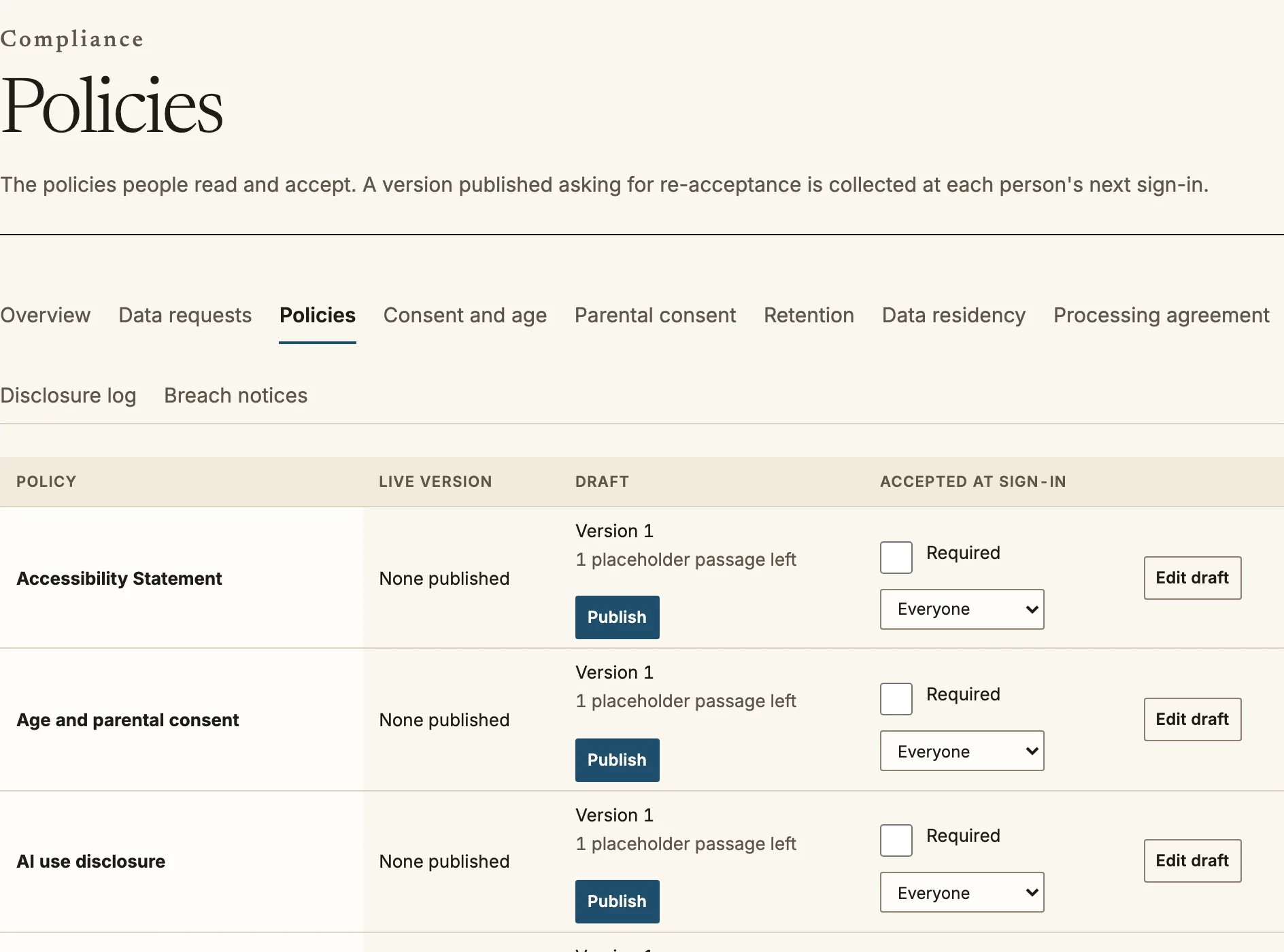
`/admin/compliance/policies` holds the policies people read and accept in your
organisation: privacy, terms, cookies, acceptable use, AI use and any of your
own. Each policy has versions, an audience, and a record of who has accepted
which version. The rest of Compliance (`/admin/compliance`) covers data requests,
consent and age, retention, residency and breach notices.
Policies: publish a draft and choose who must accept it at sign-in.
## Writing and publishing
1. Open a policy and choose **Edit draft** or **New version**. Write the text in
Markdown for each language you serve, and describe **What changed**.
2. **Save draft** as often as you like. A draft is not shown to anyone.
3. **Publish** makes the version live. Tick **Ask everyone to accept this version
at their next sign-in** when the change alters what people agreed to, and leave
it unticked for a correction.
Policies start with `[[PLACEHOLDER: ...]]` passages where binding wording belongs.
Replace every one with wording your counsel has reviewed. A policy that still holds
placeholder text is refused when you publish it, unless the installation is a
demonstration that explicitly allows it, and then the page still says the text is a
placeholder.
For each policy you choose who it **applies to** (everyone, learners, teaching staff
or administrators) and whether it **must be accepted at sign-in**. **Add a site
policy** creates your own, such as house rules or a media release, versioned and
accepted like the others and shown at `/legal/` followed by the address you give it.
The acceptance report shows, for each version, how many people accepted, declined
and still have to.
## Acceptable use
When you publish an acceptable use policy for an audience, it is enforced where
people write content, not only shown. A person who owes acceptance of the current
version cannot:
- upload a picture, a submission, workshop or checklist evidence, a forum or chat
attachment, a quiz file response or prior learning evidence;
- start, reply to or edit a forum post;
- save or submit an assignment; or
- submit workshop work.
The form shows a notice, **What you post and upload follows the Acceptable Use
Policy**, with a box to accept it. If something is sent without acceptance, it is
refused and nothing is saved, and the page says so and keeps focus on the notice.
Publishing a new version asks people again.
Course authoring, marking feedback and organisation artwork are not contributed
content and are not gated. An organisation that publishes no acceptable use policy
is never blocked.
## Quire's own policies
Quire's policies as a company (its terms, privacy policy and the like) are published
by the platform operator at `/legal/` on the platform address, with the footer and
cookie notice. They are separate from the ones you publish for your organisation.
Source: https://docs.quirelms.com/admin/policies/index.mdx