---
title: "Live session and video providers"
description: "Use your own live session and video provider accounts."
image: "https://docs.quirelms.com/og.png"
---
> Documentation Index
> Fetch the complete documentation index at: https://docs.quirelms.com/llms.txt
> Use this file to discover all available pages before exploring further.
# Live session and video providers
An installation comes with a default provider for live sessions and another for
video. Two pages let your organisation use its own accounts instead, so meetings
and videos live where you pay for them and hold your agreements. Both are under
**Integrations** in site administration.
Only one account can be on at a time for each, and each page shows whether it is
on, whether a credential is stored, and when it last changed. Credentials are
sealed when saved and never shown again. To replace one, enter every field; to
keep it, leave them all empty. **Remove** deletes the stored credential and the
organisation uses the installation's provider again.
## Live sessions
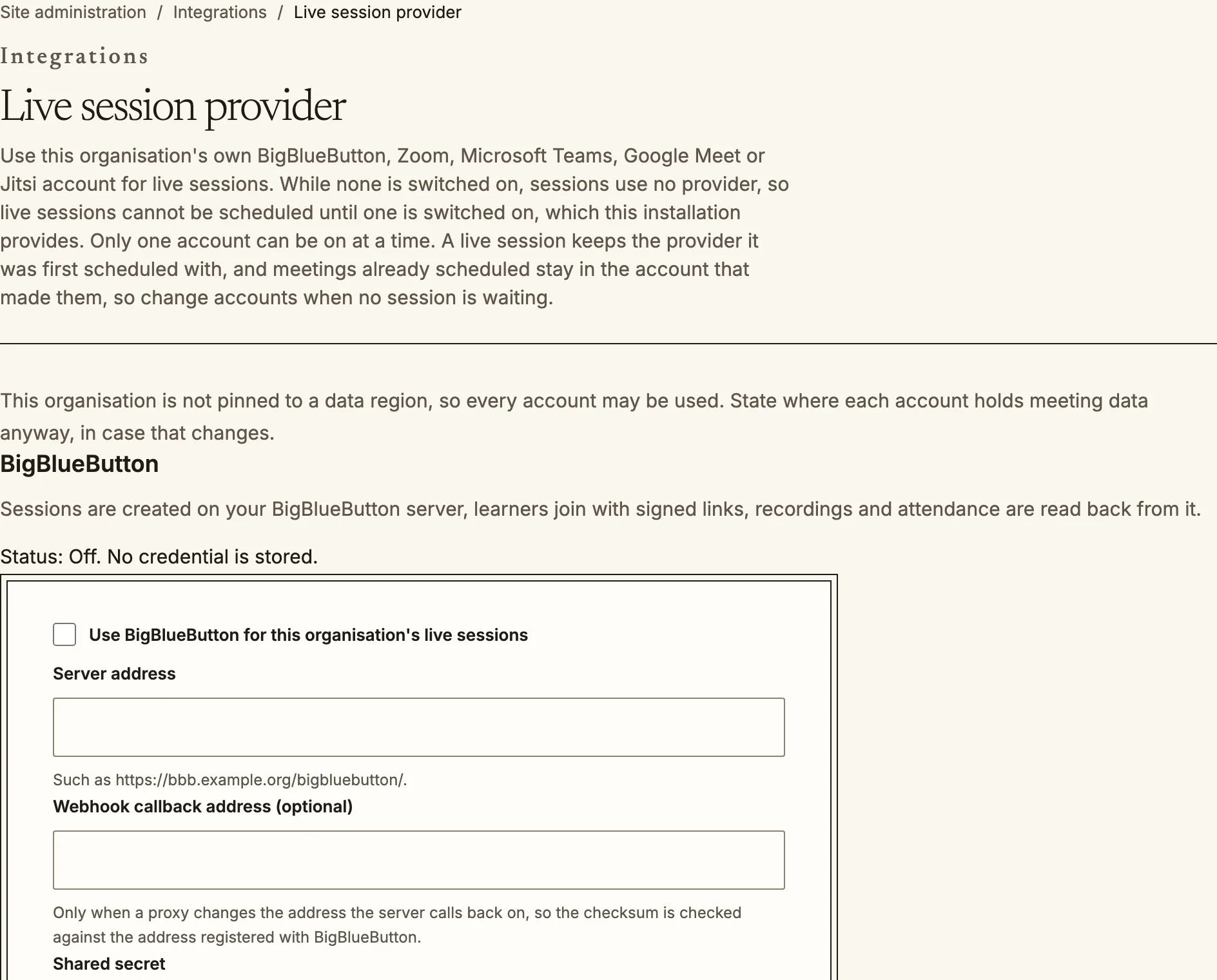
`/admin/integrations/meetings` connects the organisation's own account with one
of these:
| Provider | What Quire does with it |
| --- | --- |
| BigBlueButton | Creates sessions on your server, gives learners signed join links, reads back recordings and attendance |
| Zoom | Creates meetings through a server to server app, reads back recordings and the participant report |
| Microsoft Teams | Creates Teams online meetings through Microsoft Graph, reads back transcripts, recordings and attendance |
| Google Meet | Creates Meet spaces through the Meet API, reads back transcripts and the participant report |
| Jitsi | Gives learners a signed token to a room on your deployment; Jitsi cannot report who attended, so attendance is recorded by hand |
Each provider asks for its own credentials (a server address and secret, or an
app or service account), and shows the address on your Quire site that the
provider's webhook should call. Complete the provider's side first, then enter
the values here.
A live session keeps the provider it was first scheduled with, and meetings
already scheduled stay in the account that made them. Change accounts when no
session is waiting.
Live session providers: one account at a time can be switched on.
### Data region
For each account you state **where it holds meeting data**, by ticking every
region it processes meetings in. The provider cannot say, so this is your
statement. If your organisation is pinned to a data region, an account is used
only when the regions you stated include it, or when a derogation under
**Compliance** covers it. If the organisation is not pinned, every account may be
used, but it is worth stating the regions anyway in case that changes.
## Video
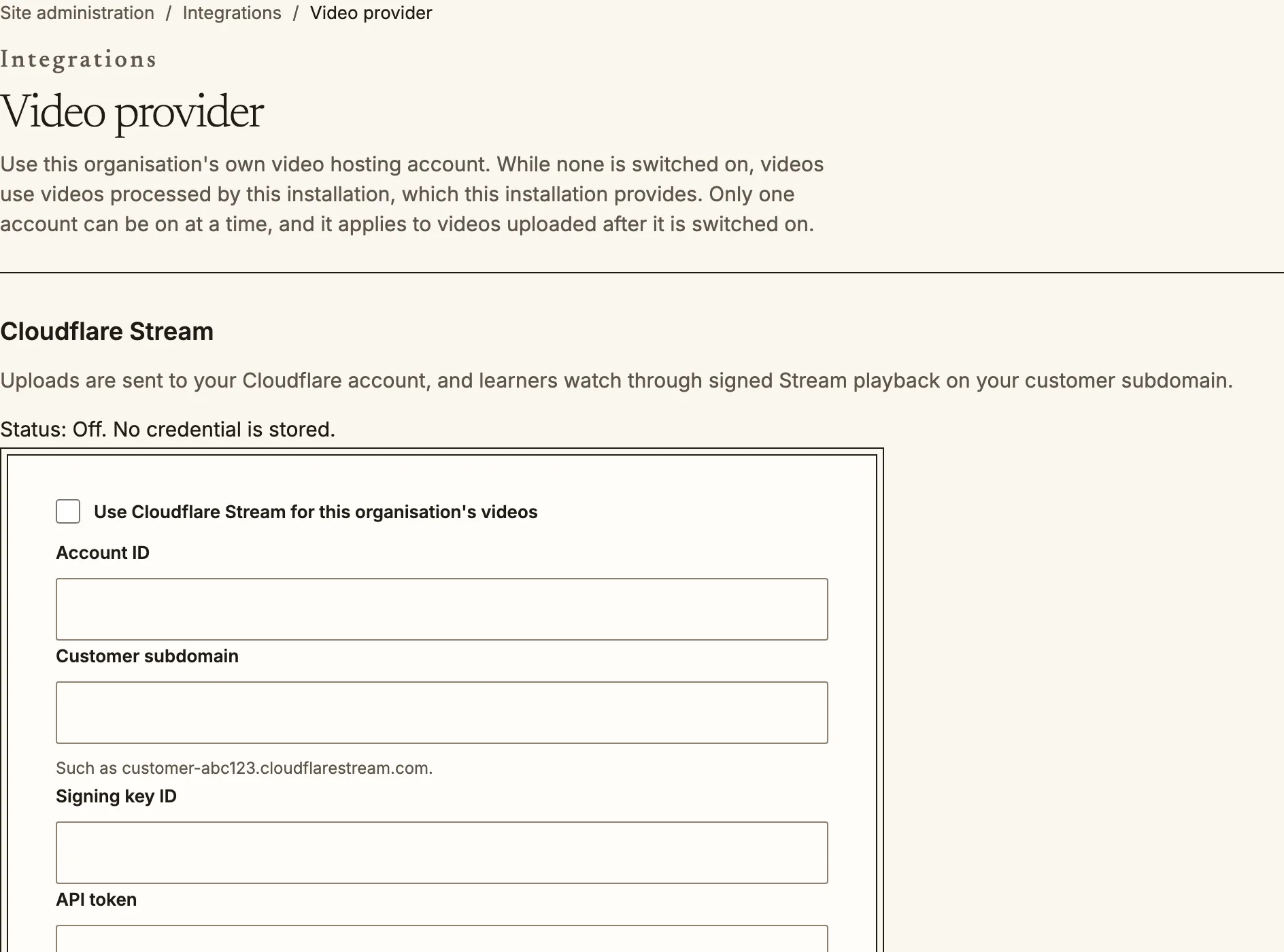
`/admin/integrations/video` does the same for videos with Cloudflare Stream, Mux
or Bunny Stream. Uploads go to your account and learners watch through signed
playback from it. The setting applies to videos uploaded after you switch it on;
videos already uploaded keep playing from where they are. Using your own video
provider needs a plan that includes it (see [plan and billing](/admin/plans/)).
Until you switch one on, videos use the installation's own: a provider it
configures, videos processed by the installation, or videos played as uploaded.
Video provider: connect your own hosting account.
Source: https://docs.quirelms.com/admin/providers/index.mdx