---
title: "Developer guide"
description: "The Quire REST API, OAuth, webhooks, the MCP server and extensions."
image: "https://docs.quirelms.com/og.png"
---
> Documentation Index
> Fetch the complete documentation index at: https://docs.quirelms.com/llms.txt
> Use this file to discover all available pages before exploring further.
# Developer guide
Use your organisation’s API address and a scoped credential. Start with a read request, check the response, and keep secrets outside source control and documentation examples.
Quire has one public API: REST over HTTPS, described by an OpenAPI 3.1
document, with signed webhooks for events and an MCP server for AI
assistants. The [API reference](https://docs.quirelms.com/api/) lists every endpoint and event.
## Addresses
Each organisation has its own address, and the API lives under it:
```
https://acme.quirelms.com/api/v1/courses
```
The credential decides the organisation. A key for one organisation used at
another's address is refused.
The OpenAPI document is served at `/api/v1/openapi.json` on any
organisation's address, so client generators always see the version you are
calling.
## Authentication
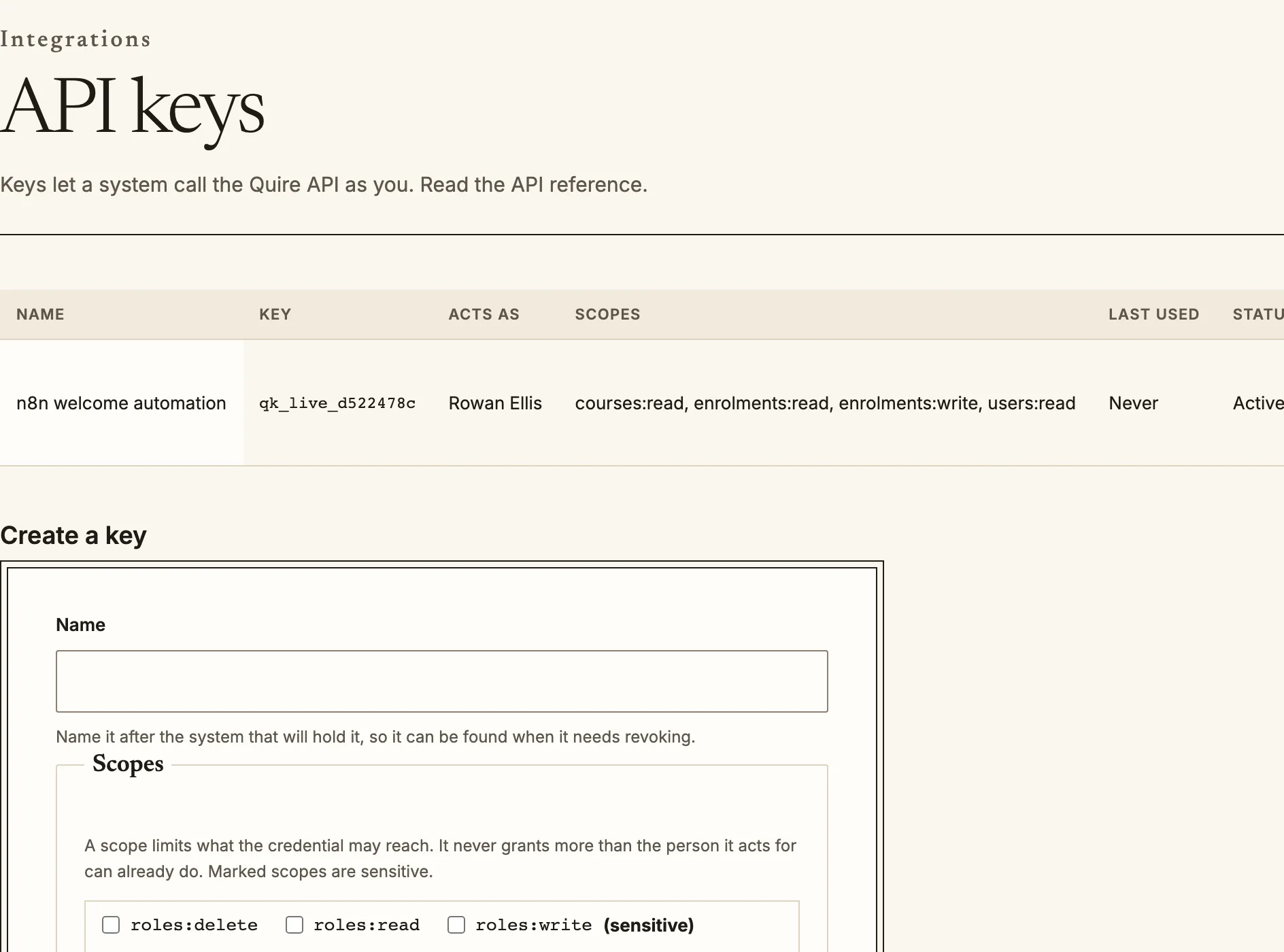
**API keys** are for scripts and server-to-server integrations. An
administrator creates one at `/admin/integrations/api-keys`, chooses its
scopes, and sees it once. Send it as a bearer token:
```
curl -H "Authorization: Bearer qk_live_..." https://acme.quirelms.com/api/v1/users?limit=50
```
Keys begin `qk_live_` or `qk_test_`. Give each integration its own key.
**OAuth 2.1** is for applications that act as a signed-in person. Register
a client at `/admin/integrations/oauth-clients`, then use the authorization
code flow with PKCE (`/oauth/authorize`, `/oauth/token`), or client
credentials for a machine client. Discovery is at
`/.well-known/oauth-authorization-server`. A scope narrows what a token can
do; it never lets it do more than the person could.
Scopes are `resource:read`, `resource:write` and `resource:delete`, for
example `courses:read` or `enrolments:write`. Four are privileged and shown
with a warning on the consent screen: `audit:read`, `roles:write`,
`tenants:write` and `users:delete`.
API keys list who each key acts as and what it may reach.
## Requests
- **Pagination**: every list is cursor paginated. Pass `limit`, then the
`next_cursor` from `page` as `cursor` while `has_more` is true (example
below). There is no offset.
- **Changes since**: `updated_since` returns what changed after a time.
Pair it with `include_deleted=true`, or read `//deletions`, to
learn what was removed.
- **External identifiers**: most resources accept your own `external_id`,
and `//ext:{external_id}` reads or upserts by it, so a sync never
needs to store Quire's identifiers.
- **Idempotency**: send an `Idempotency-Key` header on `POST`, `PATCH` and
`DELETE`. A retry with the same key returns the first response instead of
doing the work twice. Bulk endpoints require it.
- **Versions**: the major version is in the path (`/v1`). Within it, each
breaking change is a dated revision, chosen with the `Quire-Version`
header, for example `Quire-Version: 2026-09-20`. Without the header you get
the revision current when your credential was issued.
A page of a list:
```
{"data": [...], "page": {"next_cursor": "eyJ2Ijox...", "has_more": true, "limit": 100}}
```
## Errors
Every error is an RFC 9457 problem document:
```
{"type": "https://quire.com/errors/enrolment.seat_limit_reached",
"title": "Seat limit reached", "status": 409,
"code": "enrolment.seat_limit_reached", "category": "conflict",
"detail": "The course has no seats left, so this enrolment was not created. ...",
"request_id": "01JB7XQK4Z..."}
```
Branch on `code`, which is stable; `detail` is written for people, safe to
show them, and may change. When you do not recognise a code, bucket on
`category`:
| Category | Status | Retry |
| --- | --- | --- |
| `validation` | 422, with field detail in `errors` | No |
| `authentication` | 401 | No |
| `authorization` | 403 | No |
| `not_found` | 404 | No |
| `conflict` | 409 | Sometimes |
| `precondition` | 412 | No |
| `quota` | 402 for the plan, 413 for size | No |
| `rate_limit` | 429, with `Retry-After` | Yes |
| `upstream` | 502 or 504 | Yes |
| `internal` | 500 | Yes |
Quote `request_id` when you contact support.
## Webhooks
Subscribe at `/admin/webhooks`, or through the API at
`/webhook_subscriptions`. Choose the events by name (`enrolment.created`),
by area (`enrolment.*`) or all (`*`). Quire first sends a `webhook.ping`; the
subscription starts once your endpoint answers it.
Deliveries follow the Standard Webhooks specification:
```
POST /hooks/quire
webhook-id: 01JB7XQK4Z8FQ2M3N4P5R6S7T8
webhook-timestamp: 1790000000
webhook-signature: v1,g0hM9SsE+OTPJTGt/tmIKtSyZlE3uFJELVlNIOLJ1OE=
```
To verify a delivery:
1. Build the string `{webhook-id}.{webhook-timestamp}.{raw body}` from the
exact bytes received, before any JSON parsing.
2. Compute HMAC-SHA256 over it with your subscription secret, and base64 it.
3. Compare with each `v1,` value in `webhook-signature` in constant time.
There may be two during a secret rotation; either matching is valid.
4. Reject a timestamp more than five minutes from your clock.
```
import { createHmac, timingSafeEqual } from 'node:crypto';
function verify(secret, id, timestamp, rawBody, header) {
if (Math.abs(Date.now() / 1000 - Number(timestamp)) > 300) return false;
const expected = createHmac('sha256', Buffer.from(secret.replace(/^whsec_/, ''), 'base64'))
.update(`${id}.${timestamp}.${rawBody}`).digest();
return header.split(' ').some((part) => {
const [version, value] = part.split(',');
const given = Buffer.from(value ?? '', 'base64');
return version === 'v1' && given.length === expected.length && timingSafeEqual(given, expected);
});
}
```
Deduplicate on `webhook-id`: a delivery may arrive more than once. The body
carries identifiers and a short summary; fetch the resource for its current
state. Failed deliveries are retried with backoff for up to 72 hours, and
can be replayed from the delivery log.
## MCP
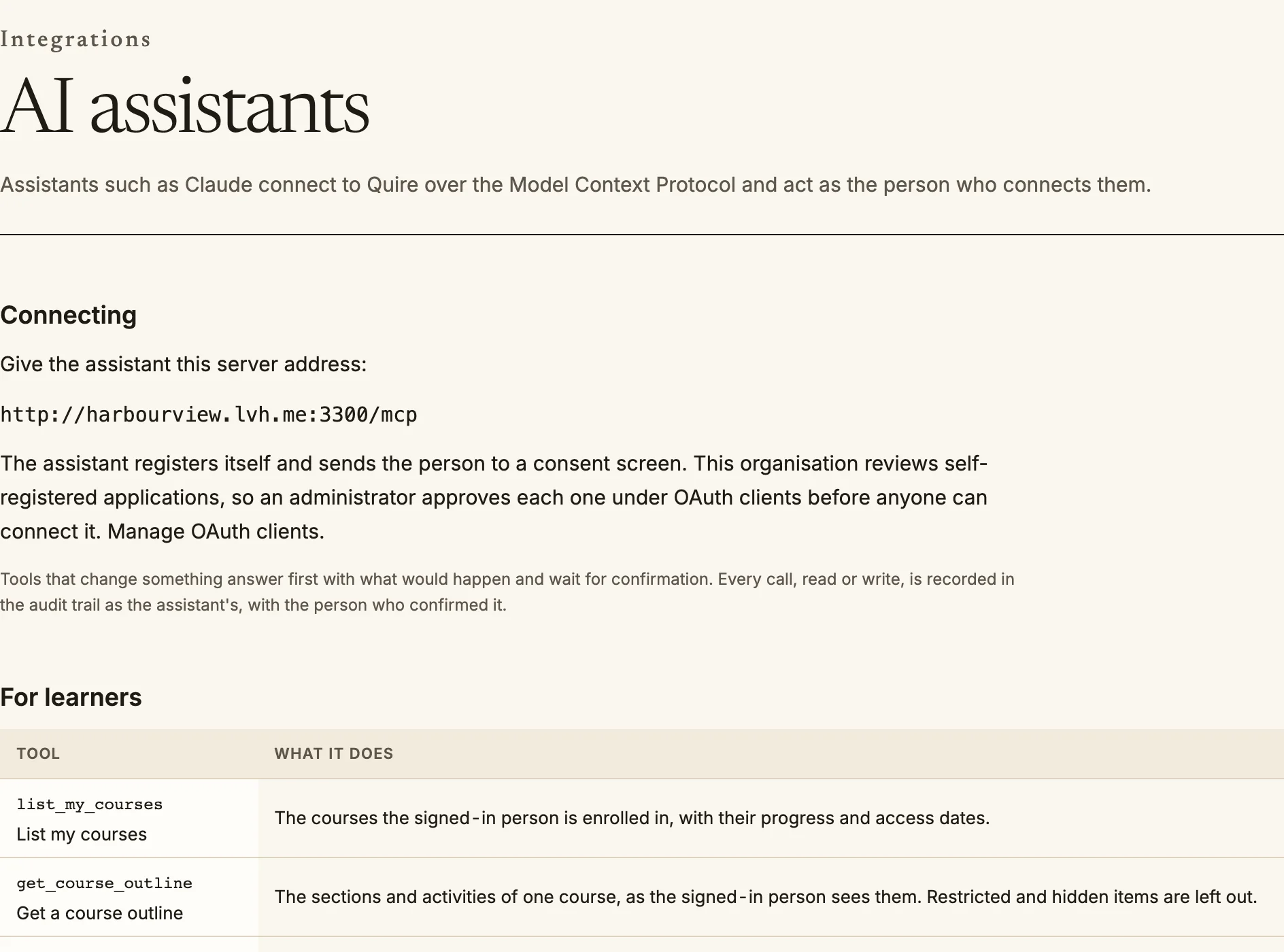
Quire's MCP server is at `/mcp` on the organisation's address, over
streamable HTTP. An MCP client discovers the OAuth server from
`/.well-known/oauth-protected-resource`, and the person signs in and
consents as with any OAuth client. Tools act as that person, with their
permissions, and destructive tools ask for confirmation. Administrators
choose which tools are available at `/admin/integrations/mcp`.
AI assistants (MCP): the server address, and the tools an assistant may call.
## Plans and the API
API keys, OAuth clients, webhooks and the MCP server belong to the plan's API
entitlement, and every standard plan includes it. On a plan without it, creating
a key, client or subscription is refused, REST writes and MCP connections are
refused, and REST reads keep working so the data stays exportable. The refusal is a problem document with the
code `commerce.plan_entitlement`, in the `precondition` category.
## Extensions
Quire's own activity types, blocks, enrolment methods, sign-in methods, question
types, reports, themes and integrations are declared through the same extension
registry that a self-hosted installation can add to. Extensions are compiled in:
there is no runtime plugin loader, and a hosted organisation cannot add one.
Administrators switch each extension on or off for their organisation at
`/admin/extensions` (see the [administrator guide](/admin/extensions/)).
To write one, start from the sample block and theme in
`packages/integration/extensions/src/sample.ts`. Choose the extension point and
read its contract in `points.ts`, then declare the extension with an id, a version,
a licence, what it provides and requires, and whether an organisation may switch it
off. Register it where the web application and the worker are composed, so both
agree. The registry checks each point's own rules when it is built and whenever you
call `register`, refuses a set that would be invalid with every problem named, and
leaves the registry unchanged when it does. The extension's own tests should assert
that `extensionContractProblems` is empty for it and that switching it off changes
what it affects.
Source: https://docs.quirelms.com/developer/index.mdx